View Case Study

CaptureS

A 0→1 mobile app DESIGNED in figma AND BUILT WITH CLAUDE CODE to enable AI-powered screenshot analysis and semantic search

Captures is a mobile app that helps users turn screenshots from a passive archive into an active tool for memory, intent, and action. It helps users understand what exactly they saved, why they saved it months ago, and where to find it later with an AI layer on top. Later, they can search through it in natural language, even if they only remember a tiny piece of context around what they saved.
Scope
  • Problem framing
  • Product concept
  • UX flow design
  • Interface design
  • Prototype
  • Vibecoding
  • User testing
Role
  • Product Designer
  • Engineer
tools
  • Figma
  • ChatGPT
  • Claude Code
  • Claude API
Problem
A screenshot is not just an image - it is captured intent. They are accumulate fast but become useless over time. People save screenshots with clear intent - a place to visit, a product to buy, etc, but when they come back weeks later, that intent is gone, because nothing preserves the context around them:
  • No way to search other than scrolling through hundreds of images
  • No intent layer captured as the screenshots show what, but lose why
Ultimately, screenshots become a graveyard of forgotten context.
Solution
I built a mobile app with Figma and Claude Code where AI acts as the missing context layer. Instead of relying on users to remember why they saved something, it uses an AI vision model that structurally parses each screenshot: extracting objects, reading embedded text, inferring source and intent, and generating searchable metadata.
The result is a digital product where every screenshot becomes a structured, searchable memory. Users can retrace the meaning and intent behind what they saved even months later - even if they only remember a vague detail and describe it in their own words.
screenshot = Intent, but also more context
I interviewed 4 people who use screenshots for everyday planning, shopping, references, work, social content, recipes, places, and text-based information.
During the walkthroughs, I noticed that screenshots often held more than the thing someone wanted to save.
Understanding the original intent often depended on more than one visible object - it came from a mix of details, signals, and surrounding context.
AI is the missing context layer
Over time, saved screenshots become hard to search because people remember parts of it rather than exact exact image, date, source, or reason they saved it
Instead of relying on users to remember why they saved something, AI can extract objects, text, source, time, and surrounding clues - turning fragments of memory into searchable clues.
Product principles
  • Context over image
  • Action-oriented
  • Low-effort input
  • Searchable memory
  • AI as an assistant
iterations
The first explorations used more complex ways to display screenshots, with data, and supporting content visible at once. This added context, but made the actual screenshot harder to read.
The final direction became cleaner and more focused: the screenshot is shown as the primary object, while detailed information about its content opens only when needed.
Minimum components for maximum results
To have control over the Claude Code output during vibe-coding, I built a compact design system that served as structured input for LLM. Instead of describing screens in multiple open-ended prompts, I gave AI a structured components library and output constraints so it generated UI that matched my design intent.
It reduced back-and-forth edits, saved tokens, and let me focus on the decisions that actually mattered rather than correcting random UI variations the AI would otherwise generate.
First tests showed Analysis issues
The first round of testing exposed a major issue in the analysis flow. The AI analyzed the screenshot before the user explained why they saved it or what exactly they wanted to remember.
As a result, the AI interpreted the screenshot on its own. When the user context was added later, the final screenshot data often became messy and inconsistent.
The fix
User adds context first. The AI analyzes only after it knows what matters.
the app features
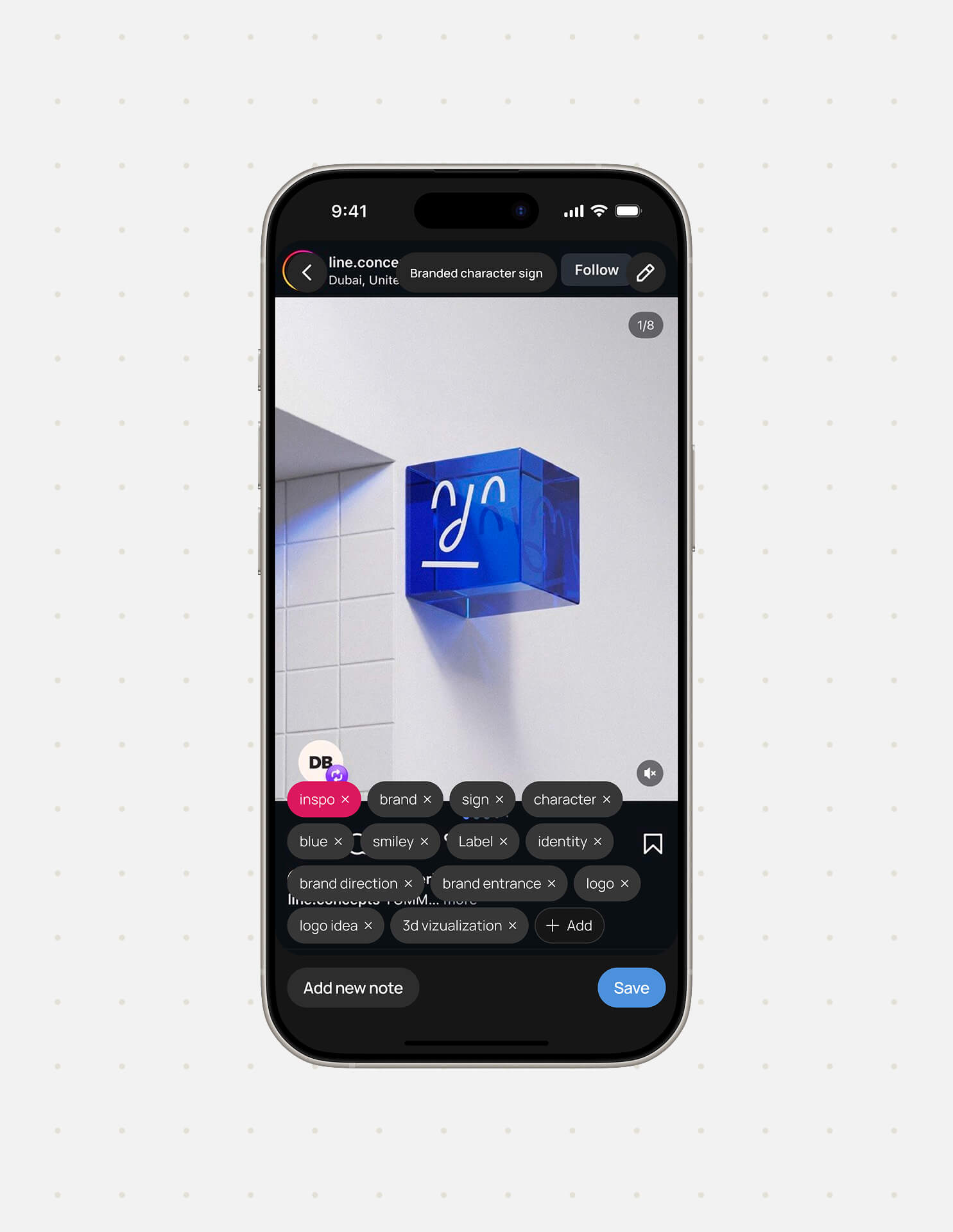
01. Capture Intent
User picks a screenshot and adds a short note in their natural language. The AI uses that context to reflect the real meaning behind it.
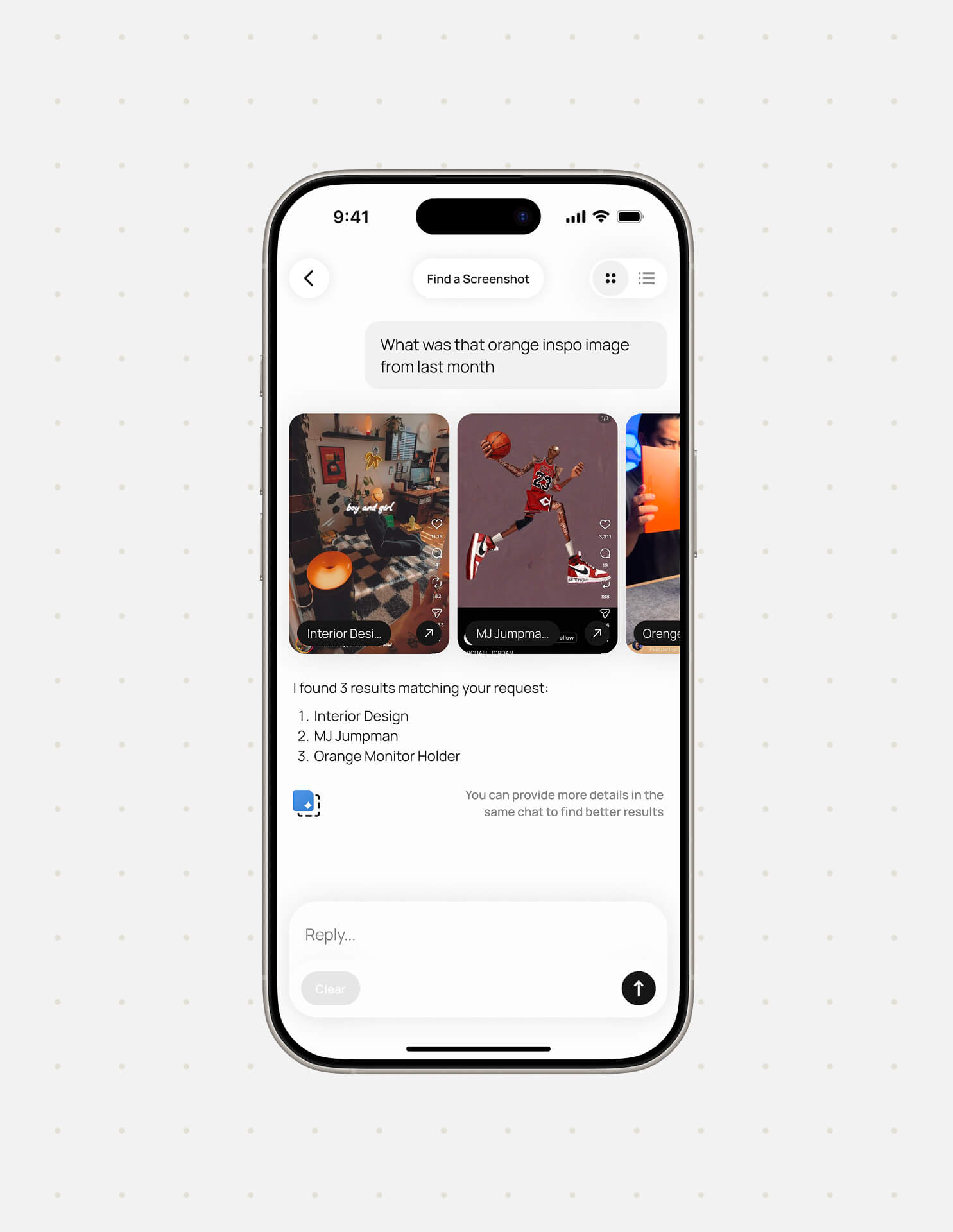
02. Recall by meaning
Users search "that cozy cafe I wanted to visit." and AI matches by meaning and intent, so results surface even when the user can't remember how they originally saved it.
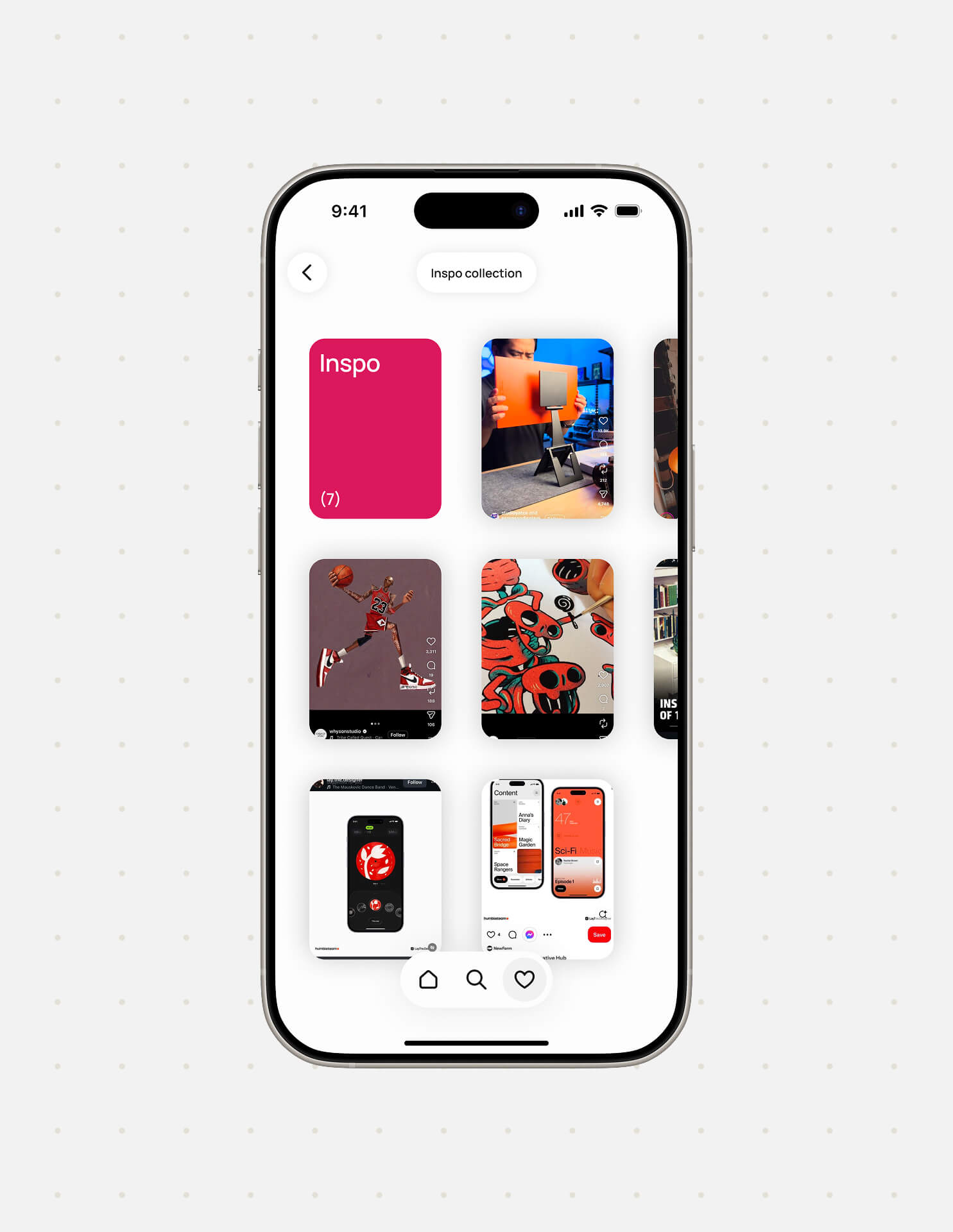
03. Preserve context
Every screenshot is enriched with useful metadata. The structured library makes it easy to browse or recover something specific - even months later, even if the original page is gone.
Next steps
Notifications
Screenshots often capture things tied to a moment like a gift idea or an event. A smart notification layer could surface these at the right time, reminding users before a birthday, a trip, or a deadline. The app already understands intent so notifications would close the loop between saving and acting.
Bulk analysis
Use bulk image analysis as part of the onboarding experience, so users have a smoother transition from phone camera rolls to the App experience. Users see their own content organized and searchable right away, which makes the transition feel natural instead of effortful.
Smoother motion
The current motion handles the core flows well, but native mobile interaction has a quality bar that's hard to hit in early-stage tools. Moving toward Swift might unlock proper smoothness and transitions, gesture-driven transitions, and the kind of polish that makes an app feel finished.
Next Case